● Native · Private · Free & open source

Your clipboard, instantly searchable.

A fast, native macOS menu-bar app for clipboard history, snippets, and quick actions — with as-you-type full-text search. No telemetry, no cloud, nothing leaves your machine.

macOS 14+ · Apple Silicon & Intel · Open the panel with ⌘⇧V

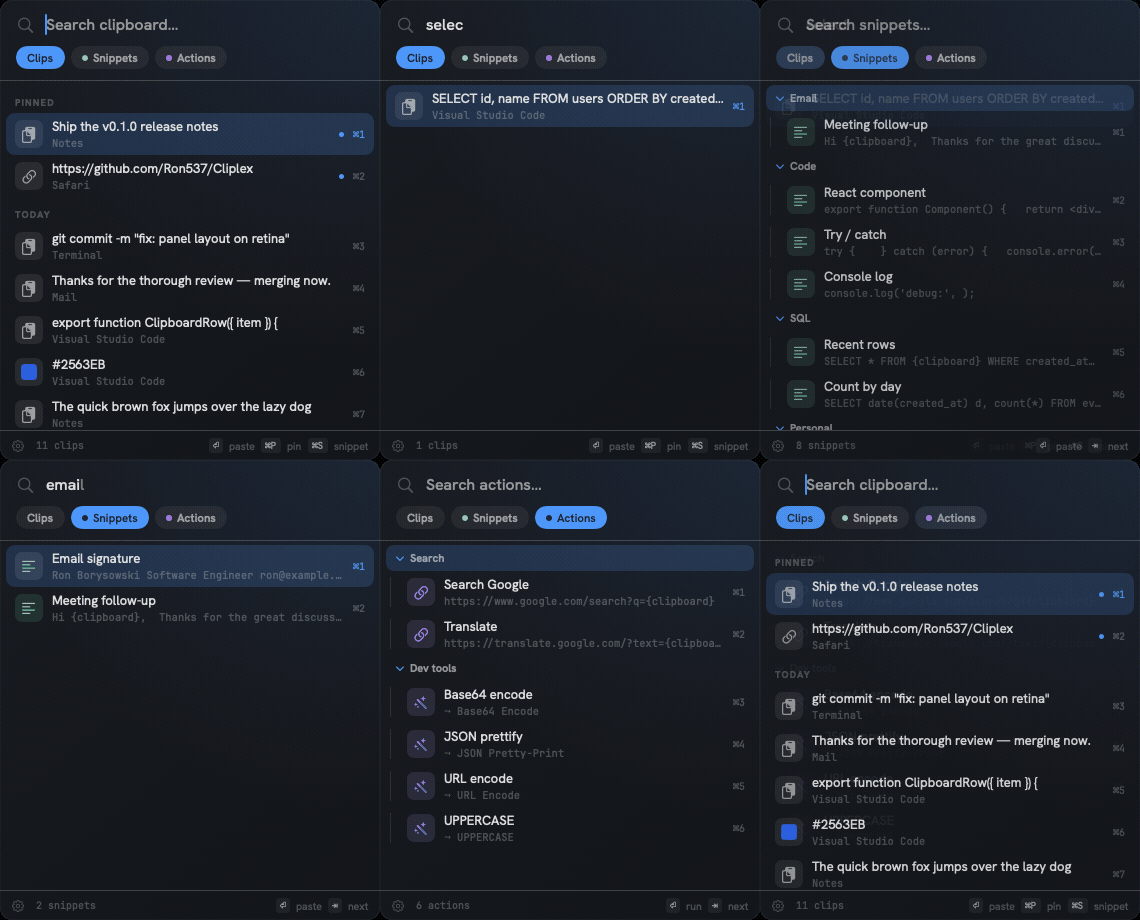
Cliplex quick panel — history, search, snippets, and actions

Everything you copy, organized

Most clipboard apps make you choose between history and snippets. Cliplex does both — plus quick actions — and makes all of it searchable.

Clipboard history

Text, rich text, images, files, and color swatches, with most-recently-used ordering and pinning.

Snippets in folders

Reusable text organized into a collapsible tree. Weave in your last clipboard with {clipboard}.

Quick actions

Open a URL, app, or path, or transform the clipboard — Base64, JSON, URL-encode, case, hash — in one keystroke.

Instant search

SQLite FTS5 as-you-type across history, snippets, and actions. Find anything in milliseconds.

Cursor-anchored panel

A non-activating panel that opens where your mouse is and never steals focus, so paste lands where you were.

Per-item shortcuts

Assign a global hotkey to any snippet, action, or folder. ⌘1–⌘0 for the top items.
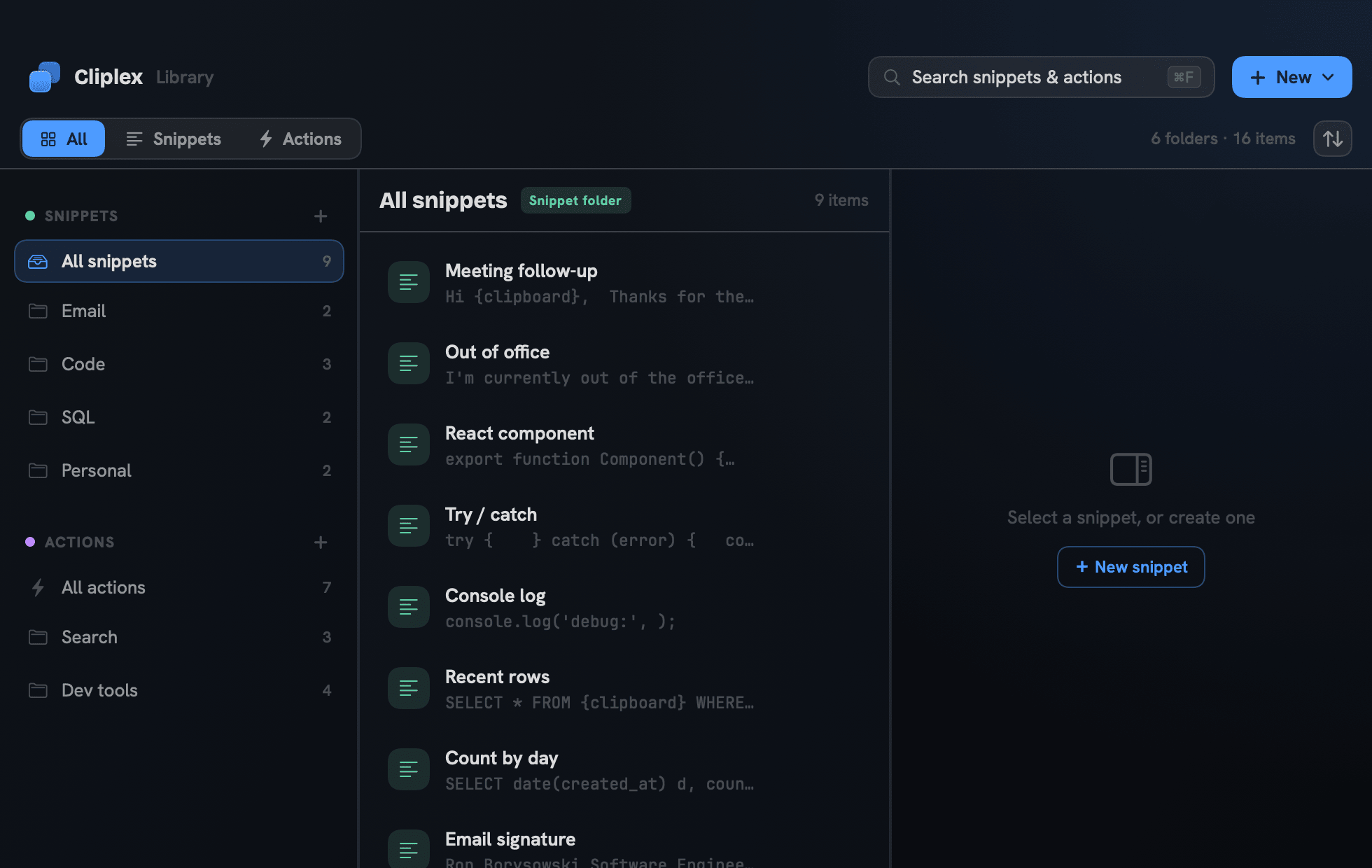
Cliplex Library window managing snippets and actions
The Library — manage snippets & actions side by side
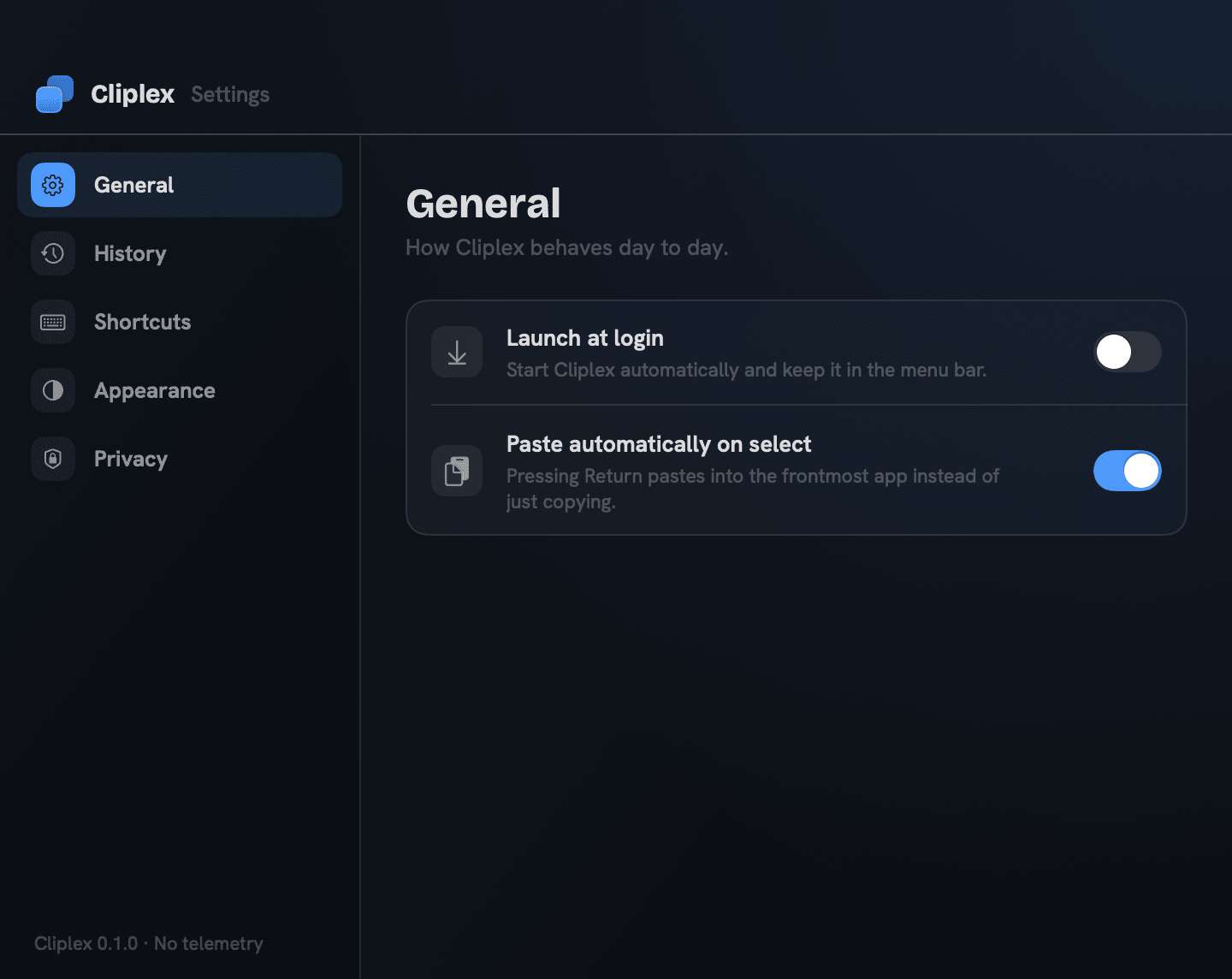
Cliplex Settings
Settings — local-only, no telemetry
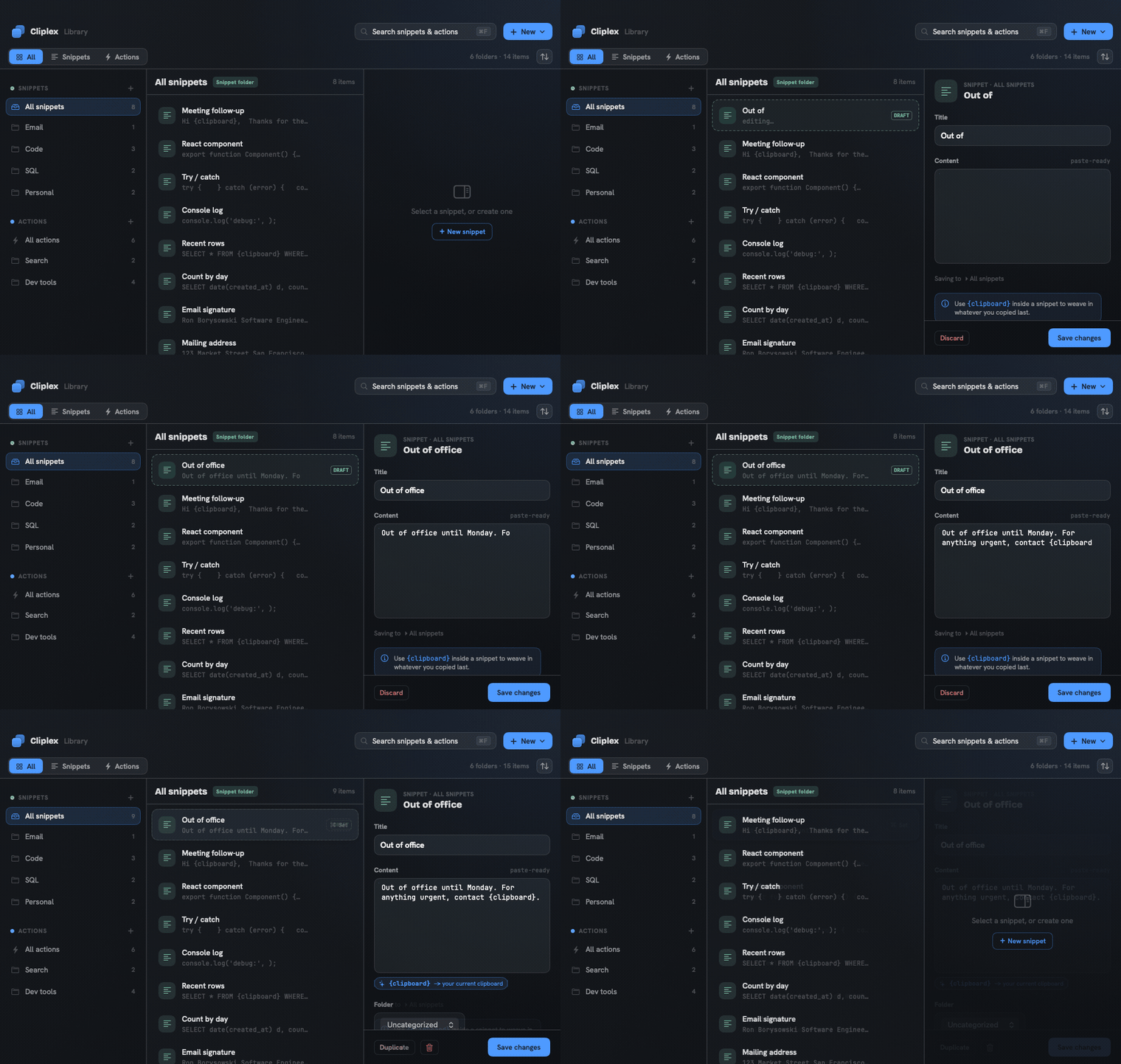
Creating a snippet in Cliplex
Create a snippet — type {clipboard} to weave in your last copy
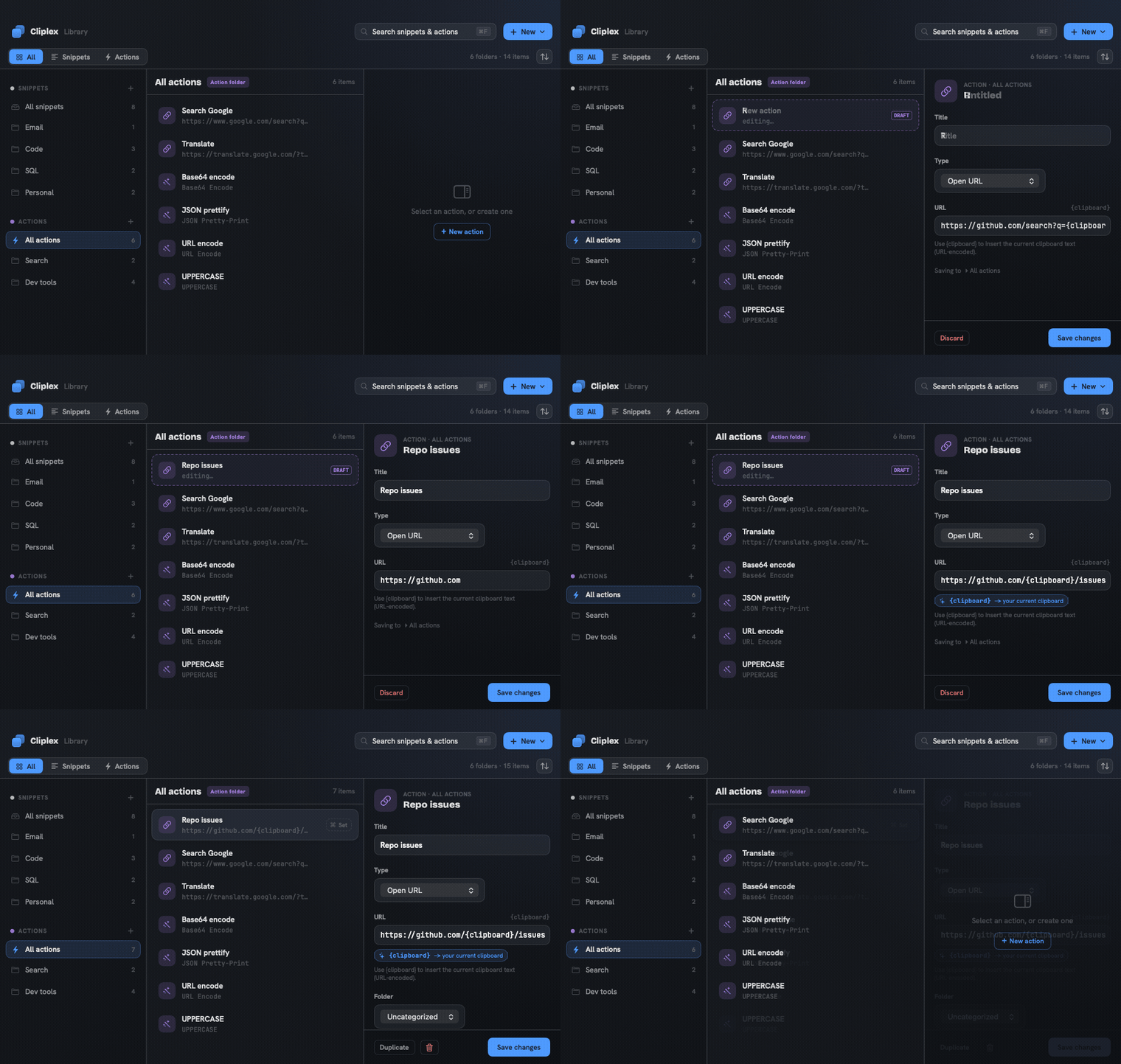
Creating a quick action in Cliplex
Create an action — one keystroke to open a URL built from the clipboard

How Cliplex compares

One fast, native, MIT-licensed app that combines what others split apart.

FeatureCliplexOther clipboard apps
Clipboard history
Snippet folders~ often missing
Quick actions & clipboard transforms✗ rarely
Instant full-text search~ sometimes
Per-item & folder global shortcuts~ limited
Cursor-anchored quick panel✗ rarely
100% local, no telemetry~ not always
Free & open source✓ MIT~ often paid
All of the above, in one app

“Other clipboard apps” reflects the typical state across popular macOS alternatives; individual apps differ and features evolve.

Install

Homebrew, a direct download, or build from source.

Homebrew

brew install --cask ron537/tap/cliplex

Download

Grab the latest Cliplex DMG, open it, and drag Cliplex to Applications.

Release builds are ad-hoc signed (free, not notarized), so on first launch macOS may say it “could not verify” the app. Approve it once via System Settings → Privacy & Security → Open Anyway, or run xattr -dr com.apple.quarantine /Applications/Cliplex.app.

Build from source

git clone https://github.com/Ron537/Cliplex.git
cd Cliplex
./scripts/build-app.sh
open build/Cliplex.app