Mission control for your AI coding agents.
DPlex runs Copilot CLI, Claude Code, and any provider you add across many repos in parallel — grouped into multi-repo Spaces, with a dashboard that shows which of your running agents is blocked on you right now. Resume any past session in a click, and reopen the app after a reboot with every tab, split, and working directory exactly where you left it.
macOS · Windows · Linux · No telemetry · Built-in Copilot CLI + Claude Code support
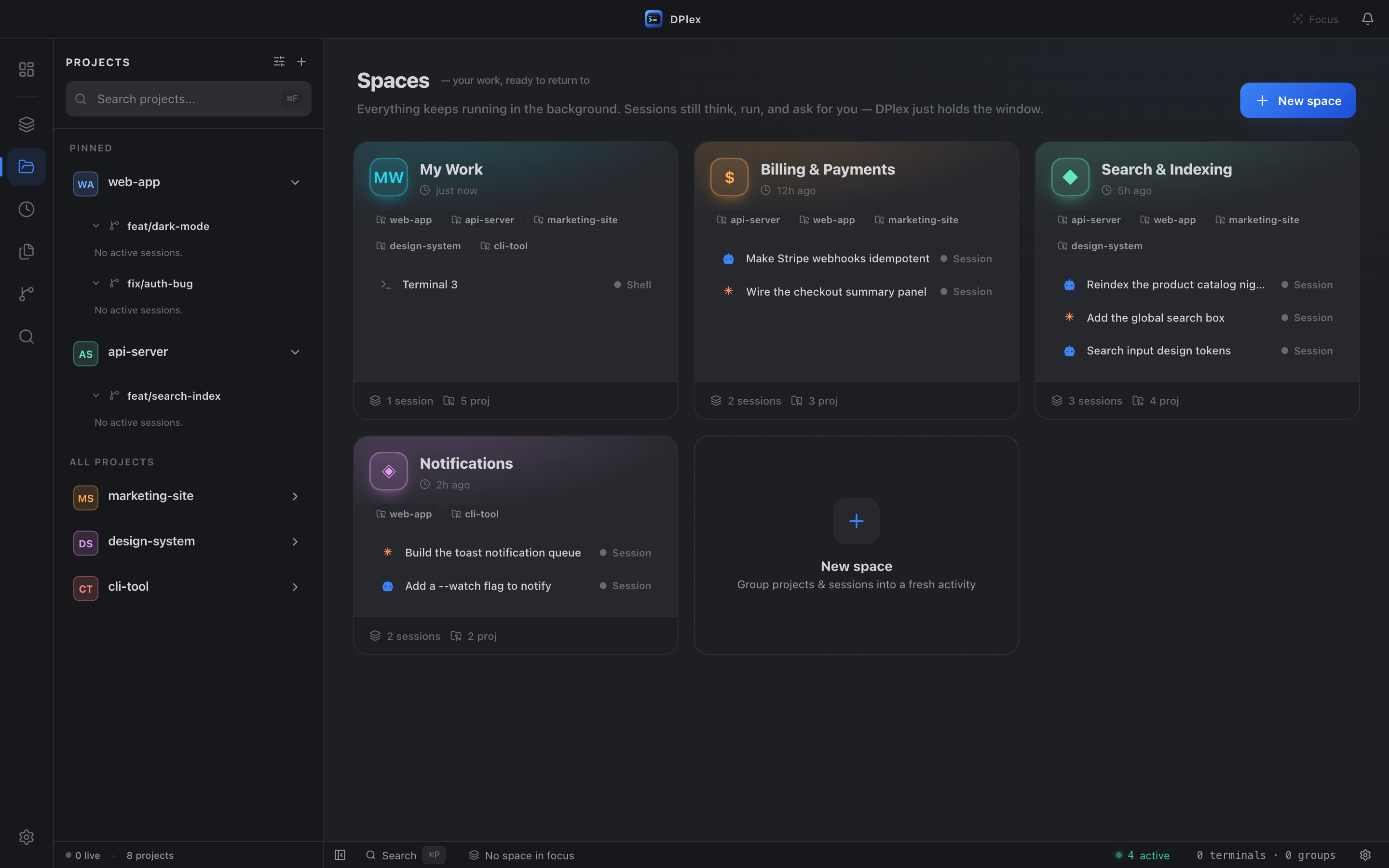
One home for your whole agent fleet.
Group work into multi-repo Spaces, run many agents in parallel, and let one dashboard and attention inbox tell you which session needs you — then pick up exactly where you left off after every restart.
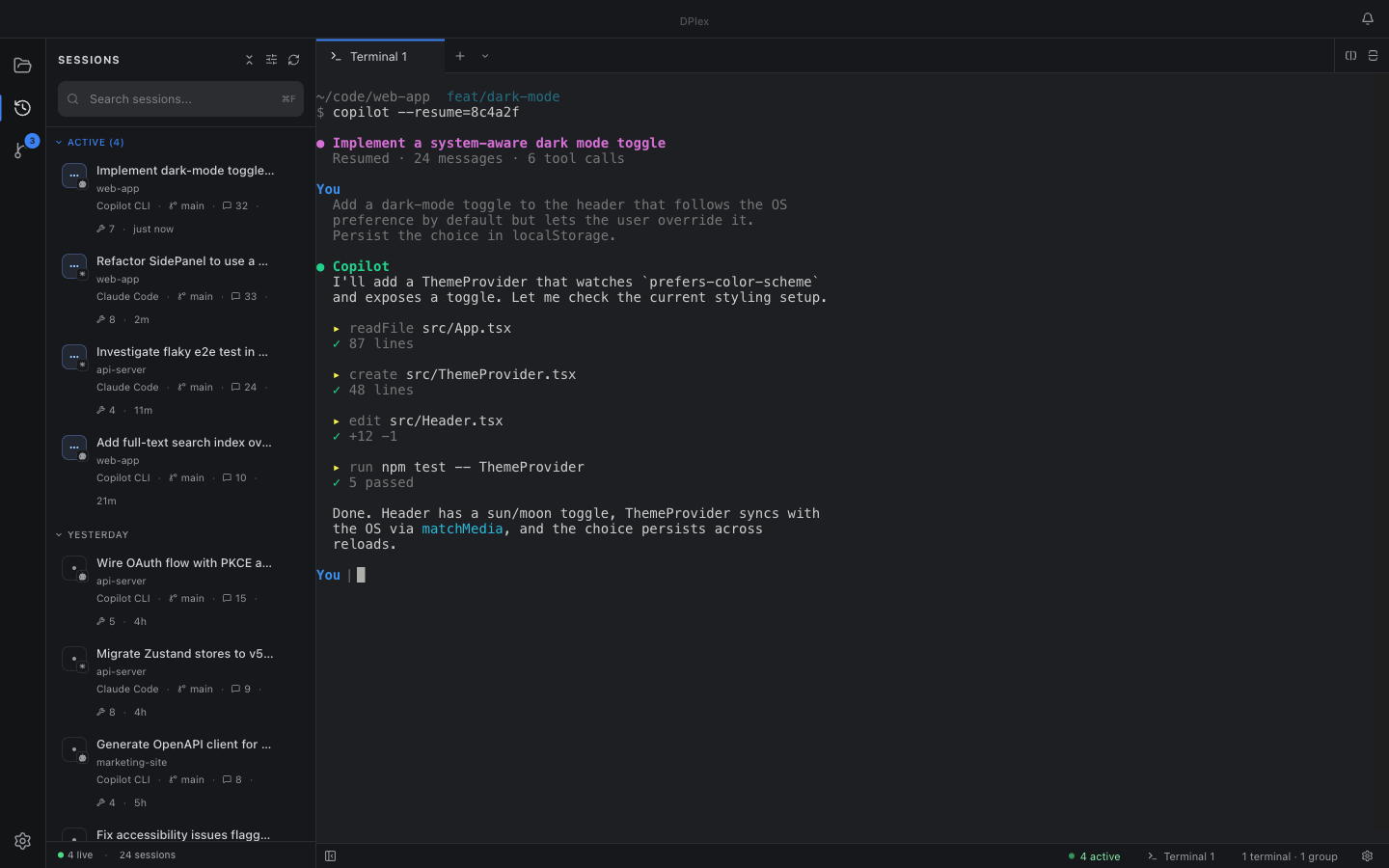
Discover every past session
Auto-reads each provider's data directory and lists every Copilot CLI and Claude Code session you've ever started — searchable by name, ID, summary, or workspace.
Resume any session in one click
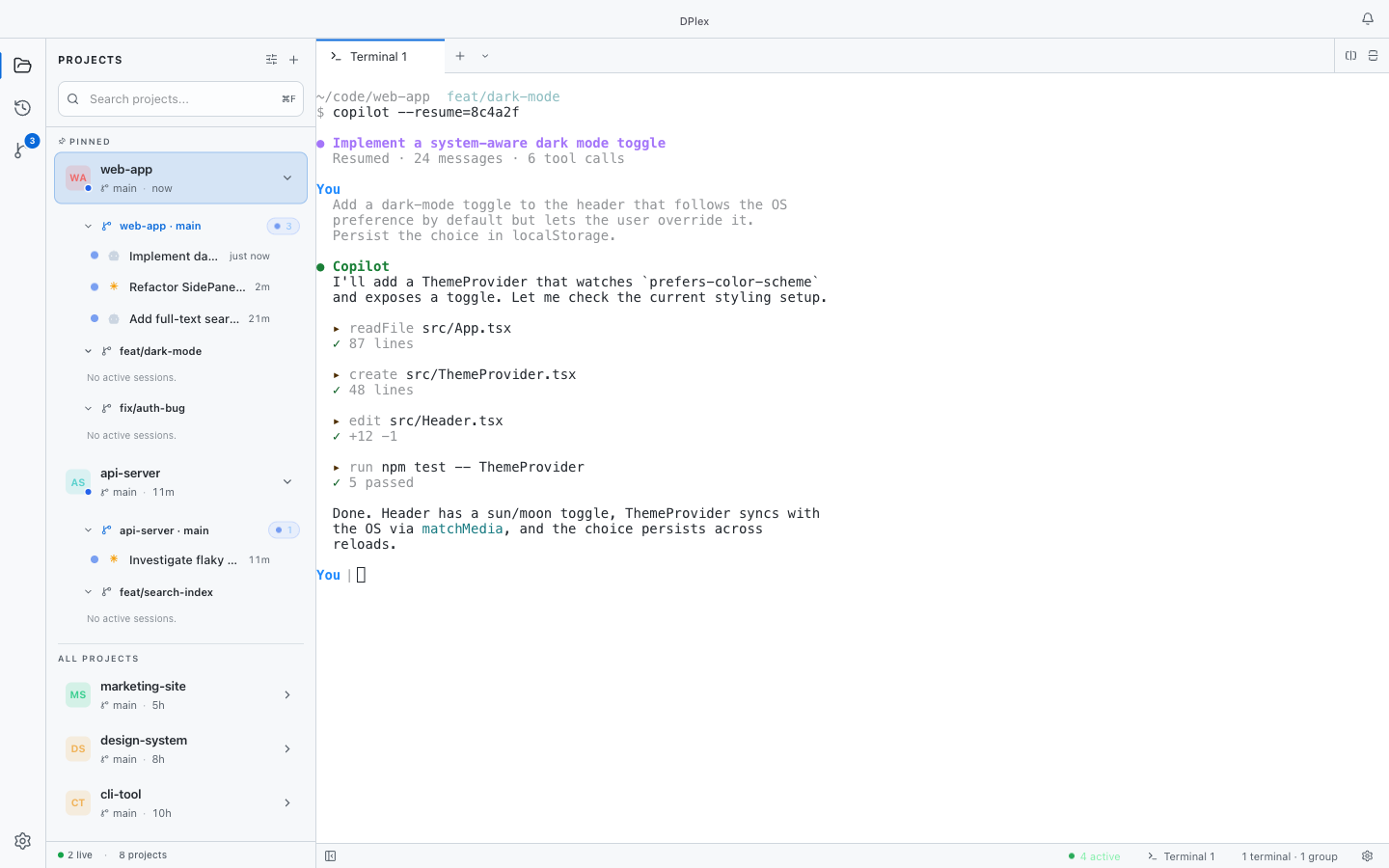
Click a past session and it opens in a new tab with the right resume command and original working directory pre-filled. No copy-pasting session IDs.
Auto-restore on restart
Quit the app, reopen it tomorrow — every AI session tab is back exactly where you left it. Splits, tab order, resume command, and CWD all preserved.
Close & delete from the sidebar
Stop a running AI session without finding its terminal — closing the tab terminates the process. Right-click a past session to delete its data from disk.
Multi-provider, pluggable
Copilot CLI and Claude Code work out of the box. Add a new AI coding agent with a single TypeScript interface — open architecture, no fork required.
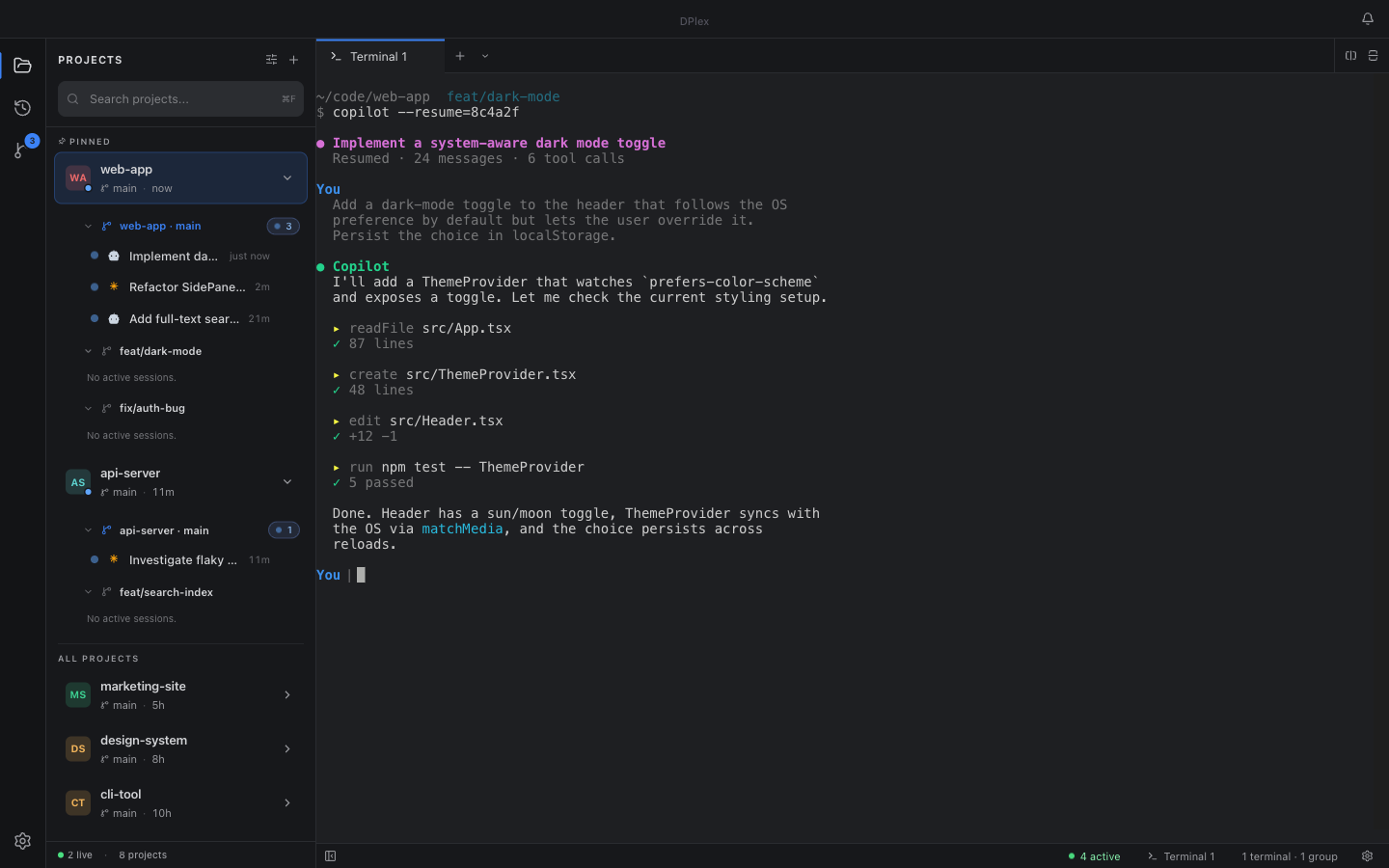
Project-aware sidebar
The Projects view groups sessions by folder. One click starts a new AI session in any project — with the right working directory and provider already set.
First-class Git worktrees
Create, switch between, and tear down Git worktrees per project — run concurrent feature work without polluting your main checkout.
Splits, tabs, drag-and-drop
Horizontal and vertical splits, draggable tabs, drag-between-panes — drop a freshly-resumed session next to the one you already had open.
Attention inbox
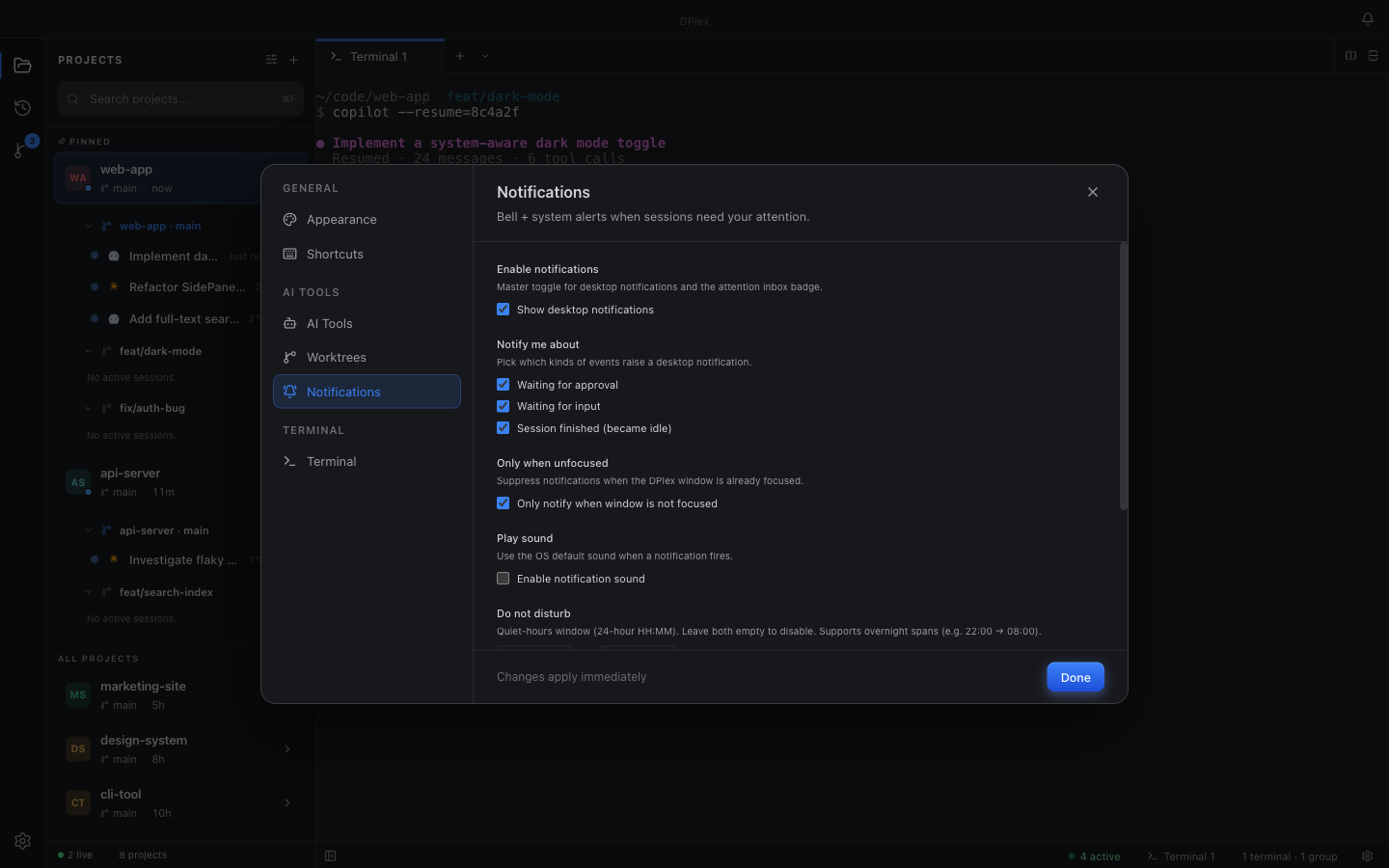
One bell for every session that needs you — waiting for approval, waiting for input, finished. Auto-clears on focus.
VS Code–style Source Control
Project-scoped changes view with a worktree picker. Single-click preview, double-click promotes to a permanent diff tab.
Global search palette
Cmd/Ctrl+P finds projects, sessions, open tabs, settings, and actions in one place. Cmd+Shift+P filters to actions.
12 built-in themes
Dracula, Monokai, Nord, Solarized, GitHub Light and Dark, and more — terminal palette and UI stay perfectly in sync.
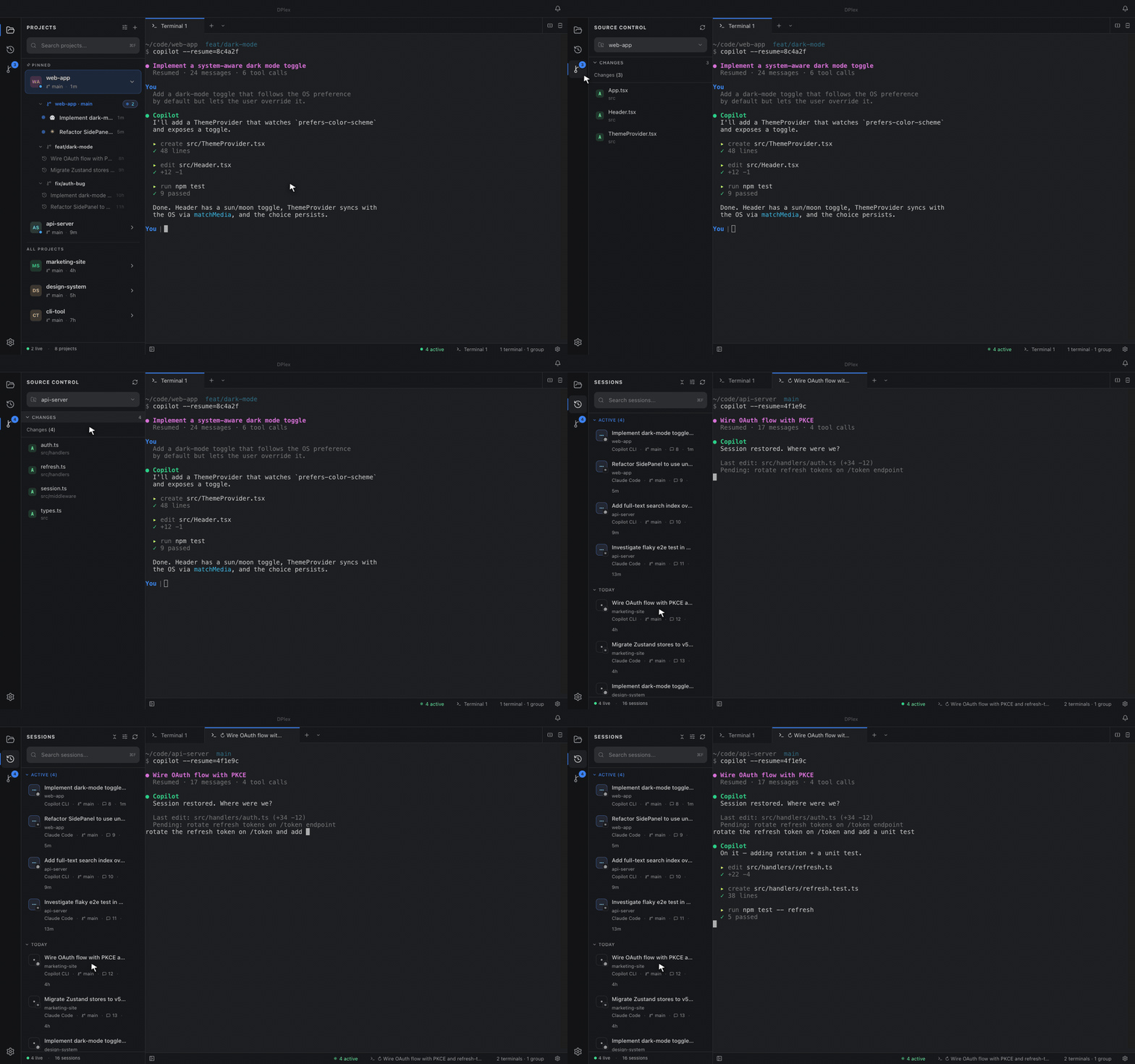
See it in action.
Click any screenshot to view full size.
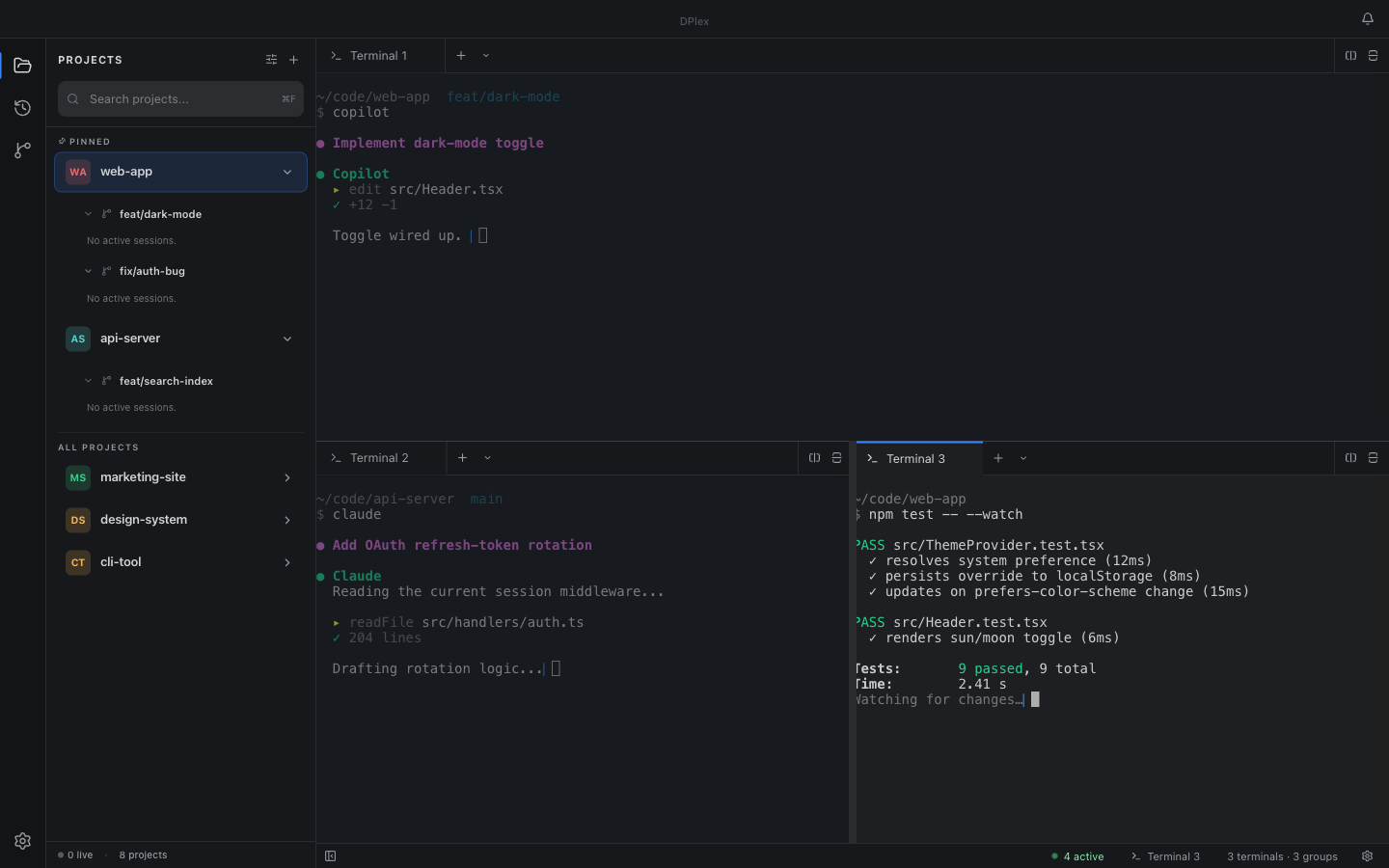
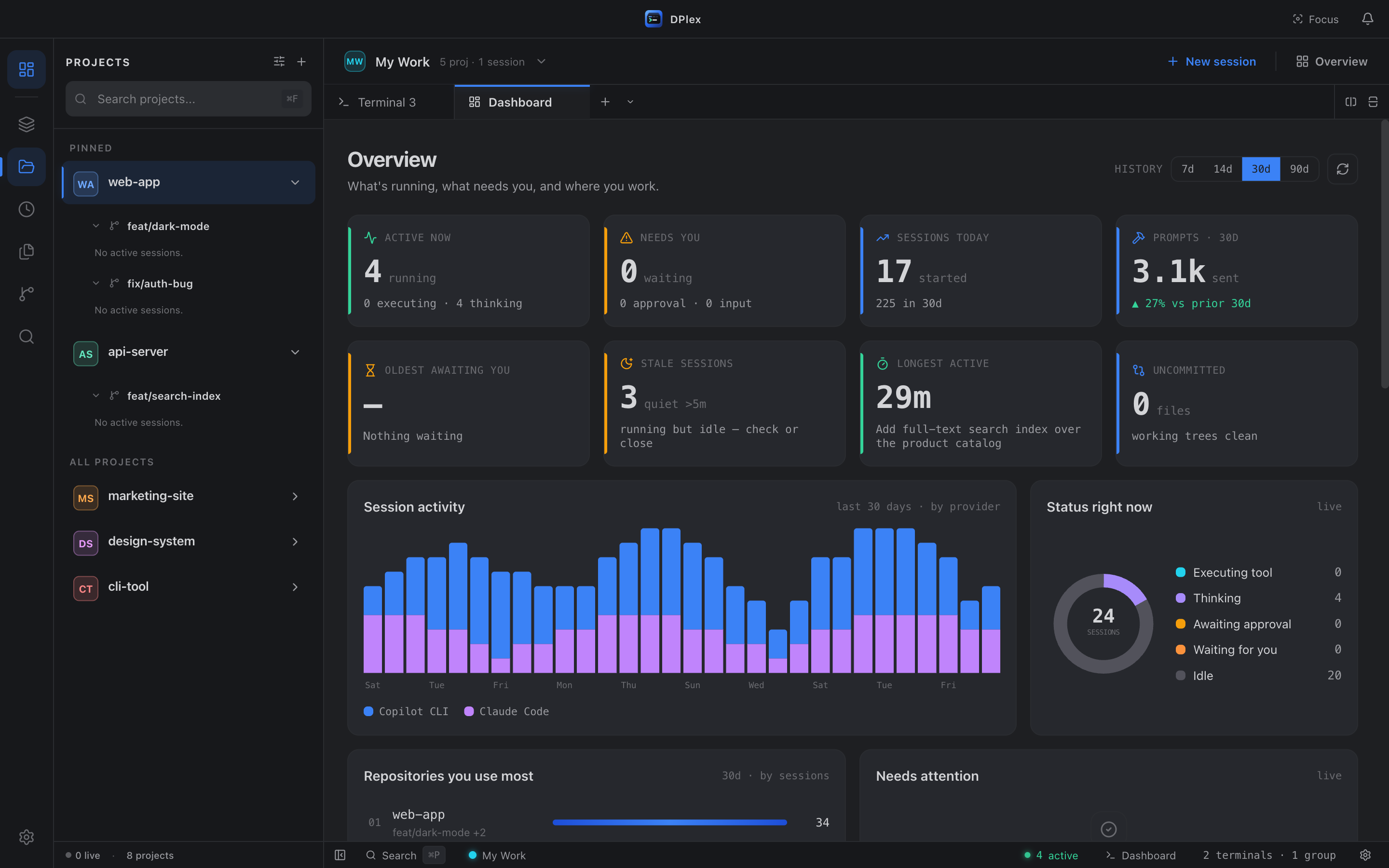
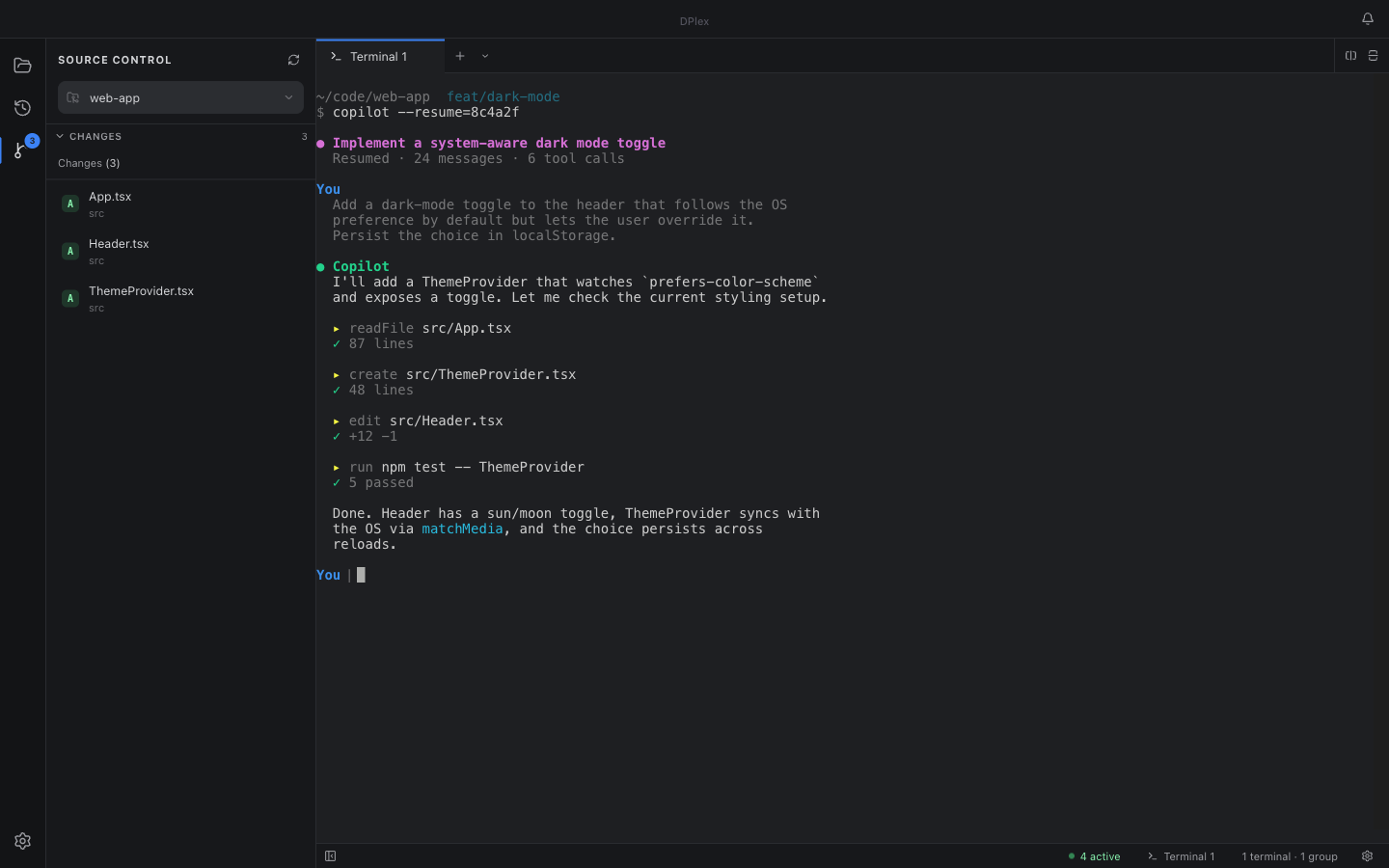
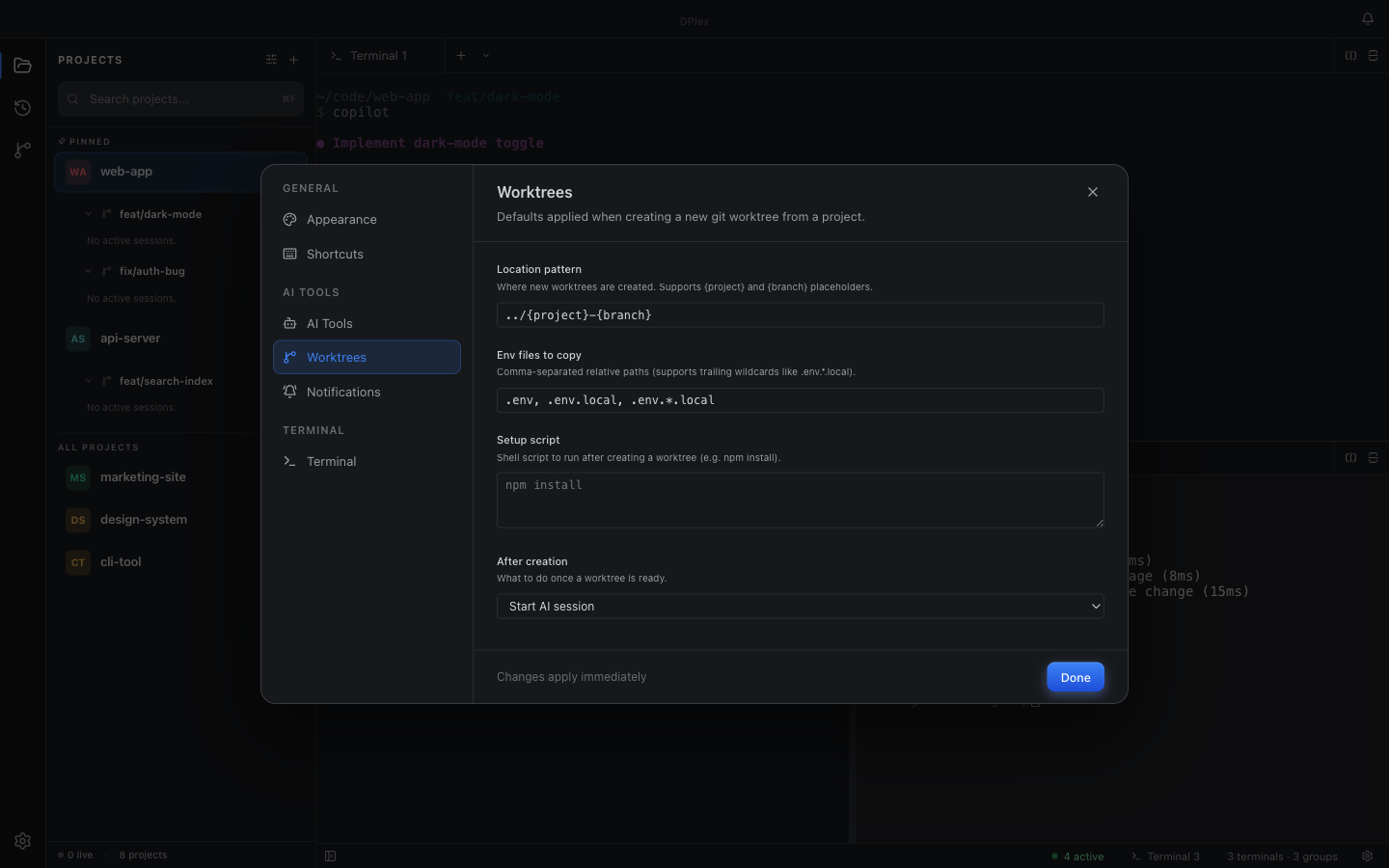
What's new in DPlex.
Latest releases of the open-source AI session manager. We ship fast — see the full changelog for every version since v0.1.0.
- New "Session error" notification: if an AI session stops because of an error (auth, quota, rate limit, or a dropped connection), you now get a distinct alert instead of a misleading "finished" one.
- Busy terminals now render on the GPU — a heavy AI session no longer freezes the rest of the app.
- Background tabs stop rendering while hidden, so several heavy sessions at once stay smooth.
- Dismiss a Space's attention notification: the bottom-right pings for backgrounded Spaces now have an ✕ to clear them. Dismissing hides just that ping — the Space's badge stays — and it returns the moment that Space raises a new request.
Install DPlex.
Pre-built binaries for macOS, Windows, and Linux. Builds are currently unsigned — verify the SHA-256 from the release page if you want extra confidence.
# Homebrew (recommended) — auto-handles quarantine & upgrades
brew install --cask ron537/tap/dplex

# — or download the DMG directly —
# Apple Silicon
curl -L https://github.com/Ron537/DPlex/releases/latest/download/DPlex-arm64.dmg -o DPlex.dmg
# Intel
curl -L https://github.com/Ron537/DPlex/releases/latest/download/DPlex-x64.dmg -o DPlex.dmg

# Drag DPlex to /Applications, then on first launch:
xattr -dr com.apple.quarantine /Applications/DPlex.app
open /Applications/DPlex.app
Homebrew is the easiest path — it clears the quarantine flag for you and brew upgrade --cask dplex keeps you current. The xattr line does the same for a manual DMG install. Builds are ad-hoc signed and carry Sigstore provenance.
# Download the latest installer
Invoke-WebRequest -Uri https://github.com/Ron537/DPlex/releases/latest/download/DPlex-Setup.exe -OutFile DPlex-Setup.exe
.\DPlex-Setup.exe
SmartScreen will warn about the unsigned installer — click More info → Run anyway after verifying the SHA-256 matches the release page.
# AppImage (any distro)
curl -L https://github.com/Ron537/DPlex/releases/latest/download/DPlex.AppImage -o DPlex.AppImage
chmod +x DPlex.AppImage
./DPlex.AppImage

# Debian / Ubuntu
curl -LO https://github.com/Ron537/DPlex/releases/latest/download/DPlex-amd64.deb
sudo dpkg -i DPlex-amd64.deb
git clone https://github.com/Ron537/DPlex.git
cd DPlex
npm install
npm run devRequires Node.js 18+ and Git. We develop on Node 22 LTS.
Where DPlex fits.
DPlex isn't a terminal emulator, and it isn't an AI-native editor — it's the orchestration layer above the AI CLIs you already use. If you're happy driving a single agent in a single terminal, you may not need it. It earns its place the moment you're running several agents, across several repos, at once.
| Compared to… | How DPlex is different |
|---|---|
| A plain terminal or multiplexer | Those move characters around. DPlex understands sessions, projects, and providers — and remembers them across restarts. |
| An AI-native editor or terminal | Those embed their AI. DPlex orchestrates the CLI agents you choose, in parallel, and stays out of their way. |
Frequently asked questions.
Short answers to the things people ask first about DPlex and AI session management.
What is AI session management?
AI session management is the practice of discovering, resuming, and organizing the conversations you've had with terminal-based AI coding agents — GitHub Copilot CLI, Claude Code, and similar tools. Every chat you start writes to disk; without a manager, those sessions become impossible to find again.
DPlex is a dedicated desktop app for that workflow: every past session is searchable, resumable in one click, and your tab layout auto-restores across app restarts.
How do I resume a Copilot CLI session?
Open the Sessions panel in DPlex's activity bar, find the past session by name, project, or text content, and click it. DPlex opens a new tab in the right working directory and runs the correct resume command for that provider — no copy-pasting session IDs and no manual cd.
Does DPlex support Claude Code as well as Copilot CLI?
Yes. Claude Code sessions are discovered, resumable, and manageable side-by-side with Copilot CLI sessions. The provider system is open: adding a third agent is one TypeScript interface — no fork, no plugin manifest.
Is DPlex free and open source?
Yes — MIT-licensed, source at github.com/Ron537/DPlex. DPlex makes zero network requests on its own. No telemetry, no analytics, no remote feature flags. Everything claimed in PRIVACY.md is grep-able in the source.
What platforms does DPlex run on?
macOS (Apple Silicon and Intel), Windows, and Linux (AppImage and .deb). Every release ships pre-built binaries with Sigstore-signed build provenance you can verify with gh attestation verify.
Will my session tabs come back after I quit DPlex?
Yes. Every AI session tab — including splits, tab order, the resume command, and the working directory — is serialized to disk on quit and restored exactly when you reopen the app the next day.
How is DPlex different from a terminal or AI editor?
DPlex isn't a terminal emulator or an AI-native editor — it's the orchestration layer above the AI CLIs you already use. A plain terminal or multiplexer just moves characters around; DPlex understands sessions, projects, and providers, and remembers them across restarts. AI-native editors and terminals embed their AI; DPlex orchestrates the CLI agents you choose, runs many in parallel across repos, and shows which one is waiting on you.
Where can I report bugs or request features?
Open an issue on github.com/Ron537/DPlex/issues. The project follows semver and ships an auto-generated changelog.
No telemetry. No analytics. Ever.
DPlex makes zero network requests on its own. Read PRIVACY.md — every claim is grep-able in the source.